
True Live Preview
A readable rendered document without a permanent split pane.
Open your .md files in milliseconds. Stay in the zone for 100k-line notes. No account, no sync, no telemetry — just your text, in a native Tauri shell.
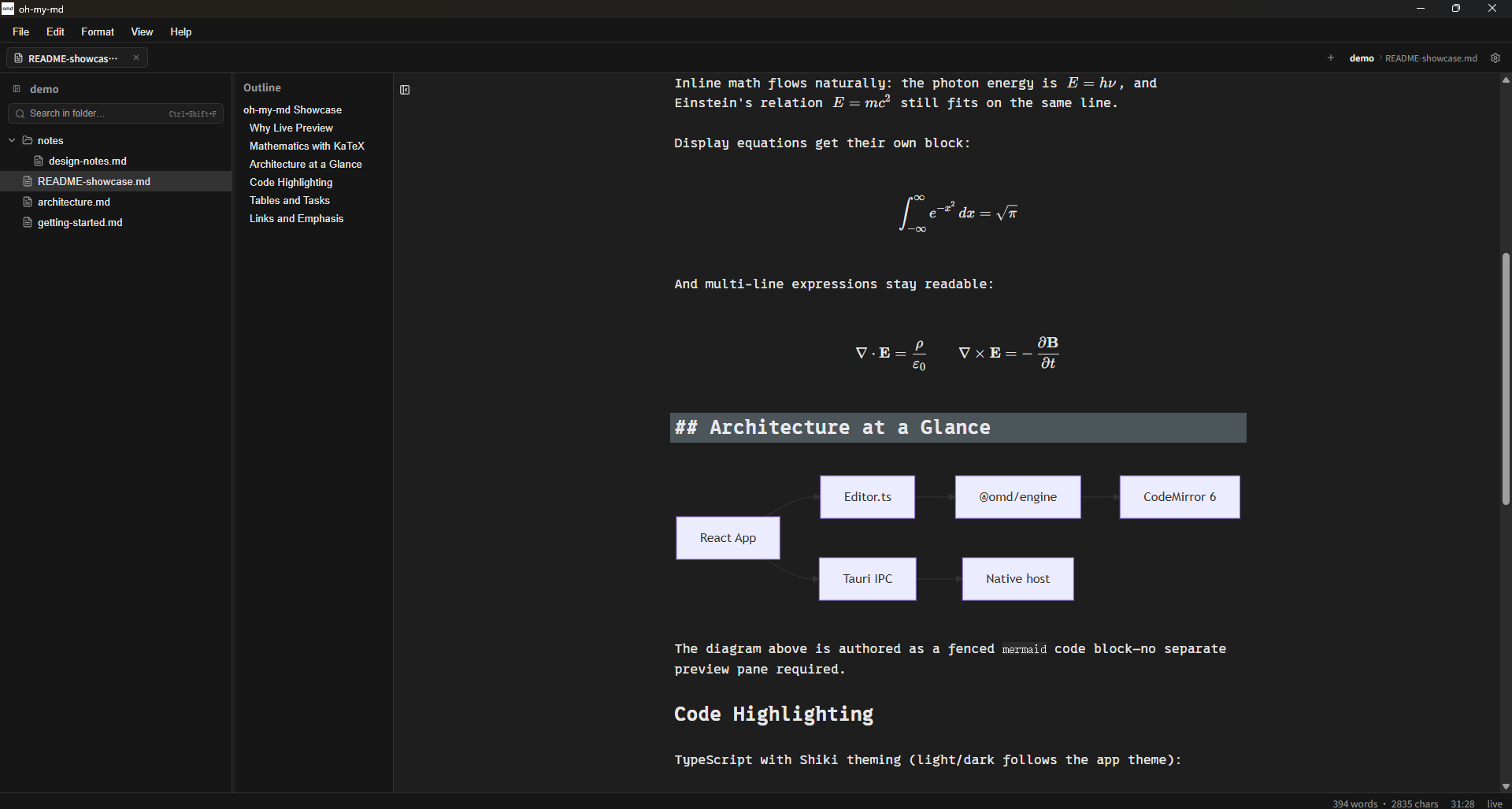
Live Preview fades Markdown marks into rendered content as you type. Switch to Source mode whenever you want a plain, precise view of the text.
A readable rendered document without a permanent split pane.
Use the familiar Markdown source view when syntax needs your full attention.
Typewriter and Focus modes keep the active line and your ideas in view.
Open any .md file in milliseconds. No account, no telemetry — just you and your text.
The editing engine is designed for large Markdown documents, so a long note does not have to become a reason to split your work up.
Advisory measurements on an M-series machine show typing latency inside the 16 ms frame budget in the benchmarked documents.
| Document | Typing p95 (live / source) | Main-thread open |
|---|---|---|
| 10k lines | 5.5 / 2 ms | 32 ms |
| 10 MB · 380k lines | 2.5 / 2 ms² | ~15 ms |
| 20 MB · 750k lines | — / 2 ms | ~30 ms |
² Safe mode: live rendering is viewport-windowed. Figures come from the built-in advisory benchmark on an M-series machine — run it yourself with pnpm --filter @omd/engine bench.
Use familiar Markdown syntax and keep the richer parts of technical writing close at hand.
Tables, task lists, footnotes, and strikethrough work where you expect them.
Render KaTeX formulas and Mermaid diagrams in the live document.
Shiki syntax highlighting, highlights, and gemoji add clarity without leaving the file.
Open a Markdown file or mount a folder workspace. Work with local assets and the tools that make a growing notes folder manageable.
Navigate a folder, find text across Markdown files, and move through headings.
Paste, drag, or pick an image and keep it in a local assets/ folder beside the file.
Conflict-safe saving, external-change detection, crash recovery, and session recovery help protect work in progress.
oh-my-md is built as a lightweight desktop app for macOS, Windows, and Linux, with light and dark themes for the environment you prefer.
Universal package for Apple Silicon and Intel Macs.
Windows x64 packages include an NSIS installer and MSI option.
Linux x64 packages include AppImage and deb options.
Download the current release, or inspect the source and build it yourself. Apache-2.0 licensed.
Choose your platform